
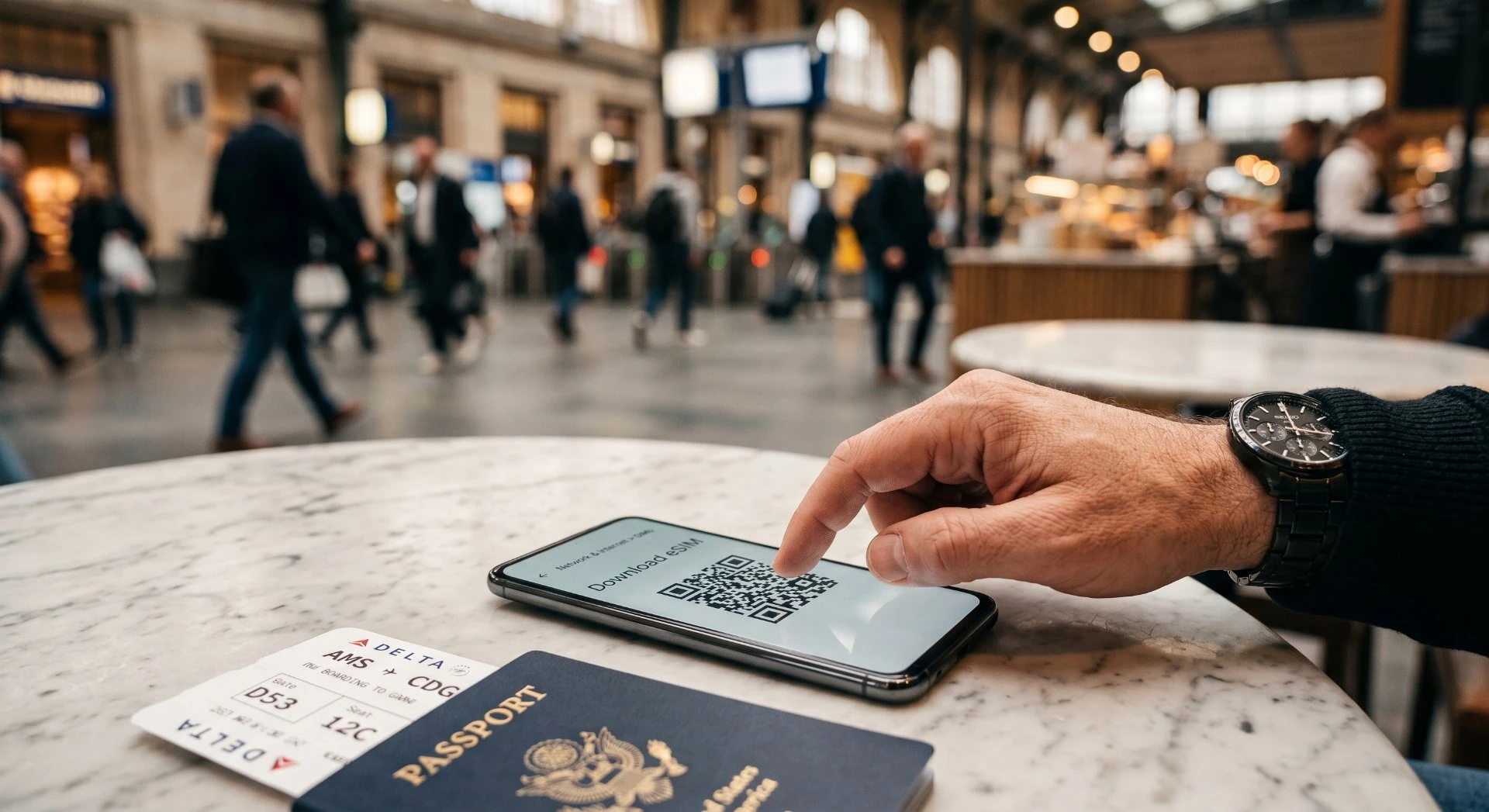

China Internet & Connectivity 2026: eSIM, VPN & What Works中国网络与连接 2026:eSIM、VPN 与可用方案
5 Key Takeaways5 个关键要点
- For most visitors the simplest fix is a firewall-bypassing travel eSIM (Hong Kong-exit) installed before you fly - no VPN needed.对多数访客,最简单的方案是登机前装好可绕过防火墙的旅行 eSIM(香港出口),无需 VPN。
- Google, Gmail, YouTube, WhatsApp, Instagram and Facebook are blocked in mainland China but work normally in Hong Kong and Macau.谷歌、Gmail、YouTube、WhatsApp、Instagram 与 Facebook 在中国大陆被屏蔽,但在香港和澳门可正常使用。
- WeChat, Alipay, Baidu, Amap (Gaode) and domestic travel apps all work fine - set these up before you arrive.微信、支付宝、百度、高德地图等国内 App 都能用——出发前先装好。
- A VPN is the only way to reach blocked services, but post-2026 crackdown reliability is poor and it is legally grey - plan around it, don't depend on it.VPN 是访问被屏蔽服务的唯一途径,但 2026 整治后稳定性差且法律灰色,应作为兜底而非依赖。
- Hotels, cafes and metro stations offer decent Wi-Fi; keep your home SIM on roaming for SMS verification codes.酒店、咖啡馆与地铁站有不错 Wi-Fi;保留本国 SIM 卡开通漫游以接收短信验证码。
Overview概览
At a glance一览
Here's what this guide covers: how the Great Firewall shapes your connection, which apps and maps actually work in mainland China, the eSIM / local SIM / roaming trade-off, whether a VPN is worth it in 2026, and a pre-flight checklist to arrive already online.本指南涵盖:防火长城如何影响你的连接、中国大陆真正能用的 App 与地图、eSIM/本地 SIM 卡/漫游的取舍、2026 年 VPN 是否值得用,以及一份让你落地即联网的登机前清单。
1 Will the Internet Work in China? (It Depends on Your SIM) 中国的网络能用吗?(取决于你的 SIM 卡)
Short answer: yes, if you arrive with the right setup. The single most reliable option for a first-time visitor is a foreign-issued travel eSIM, because it connects through international roaming and never sits behind China's Great Firewall, so Google, Gmail, WhatsApp, and Instagram work normally from the moment you land. A local Chinese SIM card, by contrast, routes your traffic domestically and those same services are blocked unless you use an authorized channel. Pick your connectivity before you fly, not in the airport. The good news is that the fix takes about ten minutes at home, for a few dollars, and then you forget about it.简言之:能用,前提是你带着正确的配置抵达。对首次来华的游客而言,最稳妥的选择是境外发行的旅行 eSIM,因为它通过国际漫游接入,永远不会处在中国的防火墙之后,所以 Google、Gmail、WhatsApp 和 Instagram 从你落地那一刻起就正常可用。相比之下,中国本地 SIM 卡会把你的流量走境内路由,除非使用经授权的渠道,否则上述服务一律被屏蔽。请在登机前就选好连接方式,而不是到了机场再临时抱佛脚。好消息是,这个补救办法在家花大约十分钟、几美元就能搞定,之后你根本不必再操心。
Most of the "China has no internet" panic comes from travelers who bought a local SIM or relied on hotel wifi and then could not open Gmail. The fix is decided at the SIM stage. This guide explains the mechanism plainly, tells you what is actually blocked, how to stay on the right side of the rules, and why offline maps should be your first download.所谓“中国没有网络”的恐慌,大多来自那些买了本地 SIM 卡或依赖酒店 WiFi、结果打不开 Gmail 的旅行者。问题的解法在 SIM 卡这个阶段就已经决定。本指南直白地讲清其中的机制,告诉你哪些内容确实被屏蔽、如何始终走在规则的正确一侧,以及为什么离线地图应该是你下载的第一样东西。
2 Foreign eSIM vs Local SIM: The Mechanism That Matters 境外 eSIM 与本地 SIM:关键机制
Two ways to get online两种上网方式
Both need an app. The difference is when and how you buy.两者都需要一个 App。区别在于你何时、如何购买。
Foreign travel eSIM境外旅行 eSIM
- Bought and installed before you fly出发前购买并安装
- Works the moment you land, no kiosk落地即可使用,无需柜台办理
- Data routes through a partner outside the firewall数据经由防火墙之外的合作网络传输
- Google, WhatsApp, and Gmail stay reachableGoogle、WhatsApp 和 Gmail 始终可用
Local SIM card本地 SIM 卡
- Bought at the airport or a carrier shop on arrival抵达后在机场或运营商门店购买
- Requires your passport to register需出示护照登记
- Local rates are low, but the line is domestic本地资费低廉,但线路为境内路由
- Blocked sites stay blocked on this connection在此连接下,被屏蔽的网站依旧无法访问
Here is the part almost every first-timer misses. A travel eSIM from an overseas operator (Airalo, Holafly, Nomad, and similar) is issued outside China and connects to a partner network that routes your data through international infrastructure. Your traffic never passes through the domestic system that enforces the firewall, so blocked sites simply load. You land, turn on data, and your usual apps behave exactly as they do at home.这是几乎每位首次到访者都会忽略的一点。境外运营商(Airalo、Holafly、Nomad 及同类)发行的旅行 eSIM 在中国境外签发,接入一家合作网络,由它将你的数据经由国际基础设施传出。你的流量从不经过执行防火墙的境内系统,因此被屏蔽的网站直接就能打开。你落地、开启数据,常用的 App 行为和在家时一模一样。
A local SIM from China Mobile, China Unicom, or China Telecom puts you on domestic routing. The firewall applies, and Google, Gmail, YouTube, WhatsApp, Instagram, Facebook, and X (Twitter) are unreachable. You can still use Chinese apps and local services perfectly well, but your Western communication tools go dark. A local SIM is cheap and gives a Chinese number (handy for some registrations), yet it trades away open internet access.中国移动、中国联通或中国电信的本地 SIM 卡会把你纳入境内路由。防火墙随之生效,Google、Gmail、YouTube、WhatsApp、Instagram、Facebook 和 X (Twitter) 均无法访问。你仍可顺畅使用中国 App 与本地服务,但西方的通信工具会全部失灵。本地 SIM 卡价格便宜,并能给你一个中国号码(办理某些登记时很方便),但它牺牲掉了开放的互联网访问。
David, a consultant from Berlin, learned this the hard way. "I bought a China Mobile SIM at the airport to save money, then couldn't message my client on WhatsApp for a week," he said. On his next trip he used a travel eSIM and never noticed the firewall. The choice is not really about price, it is about which internet you want.来自柏林的顾问 David 就付出了代价才明白这一点。“我在机场买了张中国移动 SIM 卡想省点钱,结果整整一周都没法用 WhatsApp 联系客户,”他说。下次出行他改用了旅行 eSIM,再也没察觉防火墙的存在。这个选择其实无关价格,而在于你想要哪一种互联网。
On cost, a travel eSIM for a 10-day trip often runs about US$15 to US$40 depending on data, while a local SIM is cheaper per gigabyte but costs you open internet, most visitors decide the trade is worth it. Our Connectivity Picker compares the real options side by side.在费用方面,10 天行程的旅行 eSIM 通常约需 US$15 至 US$40(视流量而定);本地 SIM 每 GB 更便宜,但代价是失去开放网络。多数游客认为这笔取舍是值得的。我们的上网方案选择器可并排比较各项真实方案。
3 The Great Firewall in Plain Terms 用大白话讲清防火墙
What loads, what does not能打开的,打不开的
On a normal local connection, the split is sharp.在普通本地连接下,区隔十分明显。
Blocked on local networks 本地网络中被屏蔽的
- Google, Gmail, and Google MapsGoogle、Gmail 和 Google Maps
- WhatsApp, Instagram, and FacebookWhatsApp、Instagram 和 Facebook
- Many Western news and video sites众多西方新闻与视频网站
- Most VPN apps without a licence多数未经授权的 VPN App
Works across China 全中国均可使用
- WeChat, Alipay, and DiDiWeChat、Alipay 和 DiDi
- Baidu Maps and Chinese video appsBaidu Maps 与中国视频类 App
- Local trains, hotels, and delivery本地火车、酒店与外卖配送
- Those same blocked apps, if your eSIM routes abroad上述被屏蔽的 App,若你的 eSIM 走境外路由则可用
To set expectations, here is what is typically blocked on a domestic connection and what is not:为让你有合理预期,以下是境内连接通常屏蔽与通常可用的内容:
- Usually blocked:通常屏蔽: Google and Gmail, YouTube, Facebook, Instagram, WhatsApp, X (Twitter), and most Western news and streaming sites. Google 与 Gmail、YouTube、Facebook、Instagram、WhatsApp、X (Twitter),以及多数西方新闻与流媒体网站。
- Usually works:通常可用: Chinese apps (WeChat, Alipay, Douyin, Taobao), and many non-Google Western services such as some airline and banking sites. 中国 App(WeChat、Alipay、Douyin、Taobao),以及许多非 Google 的西方服务,如部分航空公司和银行网站。
- Inconsistent:不稳定: a few sites flip on and off; do not rely on any single one. 部分网站时通时断,不要依赖任何单一网站。
The practical takeaway: if your work or family life runs on Google and WhatsApp, a foreign eSIM is the clean answer. Use our 实用结论是:如果你工作或家庭生活离不开 Google 和 WhatsApp,境外 eSIM 是最干净利落的选择。使用我们的Great Firewall checkerGreat Firewall checker to see exactly which services are reachable on each connection type before you commit. ,在决定前精确查看各类连接分别能访问哪些服务。
Free tool: Great Firewall Checker免费工具:防火长城检查器
See exactly which apps and sites load on each connection type before you commit.在决定前,精确查看各类连接方式分别能打开哪些 App 与网站。
4 Hotel and Cafe WiFi: Convenient, but Domestic 酒店与咖啡馆 WiFi:方便,但属境内连接
Free wifi at your hotel, a Starbucks, or an airport lounge is tempting, and it is fine for Chinese apps and general browsing. But it is a domestic connection, the firewall applies just like a local SIM. Do not count on hotel wifi to reach Gmail or WhatsApp. The one exception is that some international hotels and major airports offer compliant, whitelisted access for guests, but treat that as a bonus, not your plan. Keep your eSIM data on for anything that matters. Use that free hotel or cafe wifi for heavy downloads like offline maps, but rely on the eSIM for anything you actually need to open. If you're still choosing where to stay, compare China hotels on Trip.com and check guest reviews for wifi reliability before you book.酒店、星巴克或机场休息室的免费 WiFi 很诱人,用来刷中国 App 和普通浏览也完全没问题。但它属于境内连接,防火墙和本地 SIM 一样生效。别指望酒店 WiFi 能连上 Gmail 或 WhatsApp。唯一的例外是,部分国际连锁酒店和大型机场会为住客提供合规的白名单通道,但请把它当作额外馈赠,而不是你的主方案。任何重要的事都请保持 eSIM 数据开启。把免费酒店或咖啡馆 WiFi 用于离线地图这类大文件下载,而需要真正打开的内容则依靠 eSIM。 如果你还在挑选住处,订房前不妨在 Trip.com 上对比中国各地的酒店,并看看住客对 WiFi 稳定性的评价。
5 Staying Compliant: A Neutral Note on VPNs 保持合规:关于 VPN 的中立说明
You will read a lot of advice about VPNs. We stay neutral here on purpose: unauthorized VPN use in China sits in a legal gray area, and we do not recommend or name specific VPN brands. The fully legitimate, worry-free path most visitors now use is simply a foreign eSIM, whose international roaming is ordinary cross-border service, not a workaround. Compliant hotel and airport networks can fill gaps. Build your plan around roaming and local apps, and you avoid the whole questionable-VPN decision entirely.你会读到大量关于 VPN 的建议。我们在此刻意保持中立:在中国使用未经授权的 VPN 处于法律灰色地带,我们不推荐、也不点名任何具体 VPN 品牌。如今多数游客采用的、完全合法且无后顾之忧的路径,其实就是一张境外 eSIM——它的国际漫游是普通的跨境服务,而非某种“绕过手段”。合规的酒店与机场网络可以补上空缺。把你的方案建立在漫游与本地 App 之上,就从根本上避开了那个“VPN 是否合规”的抉择。
6 Offline Maps Are Non-Negotiable 离线地图必不可少
Google Maps is unreliable inside China even on a working connection, because its local data is thin and frequently wrong. The local standards are Amap (Gaode) and Baidu Maps, which have the detail foreign apps lack, every alley, metro exit, and small shop. Download the offline maps for the cities you will visit while you still have good wifi at home, because map tiles are large. Our 即便在可用的连接下,Google Maps 在中国境内也不可靠,因为它的本地数据稀疏且经常出错。本地标准是 Amap (Gaode) 和 Baidu Maps,它们拥有境外 App 所缺的细节——每一条小巷、每一个地铁出口、每一家小店。趁你在家还有良好 WiFi 时,把将去城市的离线地图下载好,因为地图数据量很大。我们的Amap setup guideAmap setup guide shows how to install the app, switch it to English, and save offline regions so you can navigate with no signal at all. 介绍如何安装该 App、切换为英文界面,并保存离线区域,让你在没有信号时也能导航。
Pair offline maps with a translation app and you can get unlost almost anywhere, even on a subway with no data. This is the quiet superpower of calm China travel.把离线地图与翻译 App 搭配使用,你几乎在任何地方都不会迷路,哪怕是在没有数据的地铁里。这正是从容中国行的“隐形超能力”。
7 Pick Your Setup Before You Fly 出发前就定好方案
Your pre-flight checklist你的出发前清单
Do these at home, not at the airport.这些都在家里完成,而不是在机场。
- 1Buy and install your eSIM购买并安装你的 eSIMPick a plan sized to your trip. Install the profile while you still have home wifi.选择适合行程的套餐。在家中有 WiFi 时安装配置文件。
- 2Set up Alipay and WeChat Pay设置 Alipay 和 WeChat PayBind your foreign card now and run a small test payment so nothing surprises you in China.现在就绑定你的境外银行卡,并做一次小额测试支付,以免到了中国出现意外。
- 3Download offline maps下载离线地图Save the cities you will visit in Amap or Maps. Mobile data is patchy in stations and countryside.在 Amap 或 Maps 中保存你将前往的城市。车站和乡村的移动数据信号不稳定。
- 4Land and switch on落地即开启Turn on the eSIM, open your apps, and you are online before you reach the taxi line.打开 eSIM,启动你的 App,在排到出租车之前你就已联网。
Do this at home, in order:在家按顺序完成以下步骤:
- Use our 使用我们的connectivity pickerconnectivity picker to compare travel eSIMs by price, data, and coverage, and install one before departure. 可按价格、流量和覆盖范围比较各款旅行 eSIM,并在出发前安装一款。
- Check exactly what each connection type unblocks with the 用Great Firewall checkerGreat Firewall checker.
- Download offline city maps via the 查看各类连接具体能解锁哪些服务,并通过Amap guideAmap guide over home wifi. 在家用 WiFi 下载离线城市地图。
- Bind 同时绑定WeChat PayWeChat Pay too, WeChat is your messaging, ride-hailing, and payment hub in one app. ,WeChat 是你集消息、打车与支付于一体的一站式 App。
Free tool: Connectivity Picker免费工具:上网方案选择器
Answer a few questions and get the right eSIM, SIM, or roaming plan sized to your trip.回答几个问题,即可为你的行程匹配合适的 eSIM、SIM 卡或漫游方案。
Land with data live, maps saved, and WeChat ready, and the "China internet problem" becomes a non-event. The travelers who struggle are the ones who decide connectivity in the arrival hall, by then the easy options are gone. Book a private airport transfer on Trip.com before you fly so you're not sorting out SIMs at the arrivals curb.带着已开启的数据、已存好的地图和就绪的 WeChat 落地,“中国网络问题”就成了一件无关痛痒的小事。那些叫苦的旅行者,都是在到达大厅时才决定连接方式的人——到那时,轻松的选项已经没了。 出发前在 Trip.com 上预订私人机场接送,就不必在到达大厅门口手忙脚乱地折腾 SIM 卡。
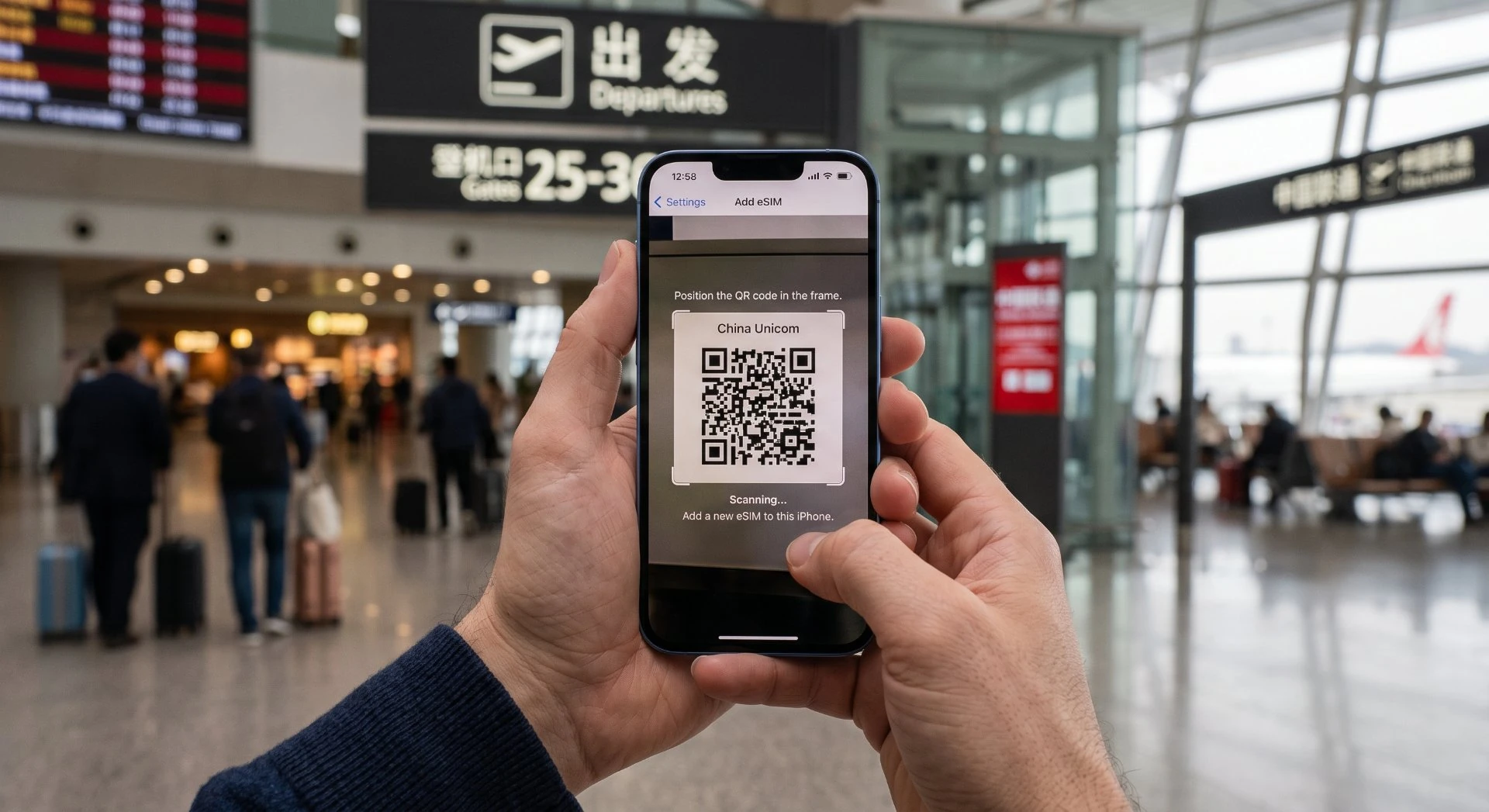
8 How Much Data Do You Need? 你需要多少流量?
For a typical trip, maps, messaging, email, the occasional video, plan on roughly 1 GB per day if you stream, or 3 to 5 GB for a 10-day trip if you mostly browse and message. Travel eSIMs are sold in fixed data bundles, so size it for your length of stay plus a buffer; running out mid-trip means buying a top-up, which is easier to do before you leave. Our 一趟普通行程,涵盖地图、消息、邮件和偶尔的视频,如果看视频大约每天 1 GB;若以浏览和发消息为主,10 天行程准备 3 到 5 GB。旅行 eSIM 按固定流量包出售,所以请按停留时长加一点余量来选;中途用光意味着要补购流量,而出发前办好更容易。我们的connectivity pickerconnectivity picker compares bundles side by side so you do not overpay. 可并排比较各档套餐,避免花冤枉钱。
9 Share One eSIM Across Travel Companions 与同行伙伴共享一张 eSIM
If you travel as a pair or a family, one working eSIM on a phone with a hotspot can cover everyone's laptops and secondary phones, handy for keeping the group on WhatsApp and Google Maps. Tethering burns data faster, so size the bundle up with our Connectivity Picker. The people on the hotspot still get open internet because the traffic routes through your roaming connection.如果你是两人或一家人出行,一部开着热点的手机上有一张可用的 eSIM,就能覆盖所有人的笔记本和备用手机,方便大家保持在 WhatsApp 和 Google Maps 上的联络。热点会更快地消耗流量,因此请用我们的上网方案选择器把套餐选大一些。连上热点的其他人同样能获得开放网络,因为流量走的是你的漫游连接。
10 Staying in Touch With Home 与家人保持联系
The practical payoff of a foreign eSIM is simple: your family sees your messages, your video calls connect, and your maps load, none of which reliably happen on a local SIM. Emma, a student from Manchester, spent a semester on a local SIM and "just stopped calling my mum because nothing connected." On a two-week holiday with a travel eSIM, she said, "it was like I never left." For short trips, that continuity is the whole point.境外 eSIM 的实际好处很简单:你的家人能收到你的消息,你的视频通话能接通,你的地图能加载——这些在本地 SIM 上都无法稳定实现。来自曼彻斯特的学生 Emma 曾用本地 SIM 待了一个学期,“因为什么都连不上,我干脆不再给妈妈打电话了。”而在用旅行 eSIM 的两周假期里,她说“就像我从未离开过家”。对短期旅行而言,这种连续性正是全部意义所在。
11 One Workaround That Needs No VPN 一个无需 VPN 的解决方式
WeChat itself works on every connection, including local SIMs and hotel wifi. If the people back home install WeChat, you can message and call them from anywhere in China without touching the firewall. It is not a replacement for Gmail, but it closes the communication gap for many travelers who otherwise feel cut off.WeChat 本身在任何连接上都能用,包括本地 SIM 和酒店 WiFi。如果家里人装上 WeChat,你就能从中国任何地方给他们发消息、打电话,完全不碰防火墙。它不能替代 Gmail,但对许多原本感觉与世隔绝的旅行者来说,它补上了沟通的缺口。
How to save offline maps如何保存离线地图
- Install Amap (Gaode) from your app store and switch the language to English in settings.从应用商店安装 Amap (Gaode),并在设置中将语言切换为英文。
- Search each city you will visit and open its map.搜索你将前往的每座城市并打开其地图。
- Tap the download icon and save the offline region over home wifi, city tiles are large, so do this before you travel.点击下载图标,在家用 WiFi 下保存离线区域;城市地图数据量很大,请在出行前完成。
- Once saved, the map works with no signal at all, which is exactly when you need it.保存后,该地图在完全没有信号时也能使用,而这正是你最需要它的时候。
12 WiFi Calling and iMessage Still Need a Path WiFi Calling 与 iMessage 仍需一条通路
A subtlety trips up many people: WiFi calling and iMessage route through the internet, so they work only when your phone has a working data path. On a foreign eSIM they connect normally; on a local SIM or hotel wifi they hit the same blocks as everything else. If staying reachable matters to you, keep the eSIM data switched on rather than dropping to wifi alone. The eSIM is your lifeline, not an optional extra, it is the reason the rest of your apps behave.一个细节让许多人栽跟头:WiFi Calling 和 iMessage 都经由互联网传输,因此只有当手机拥有可用数据通路时才能工作。在境外 eSIM 上它们正常连接;在本地 SIM 或酒店 WiFi 上,它们会遇到和其他一切相同的屏蔽。如果你在意“随时能被联系到”,请保持 eSIM 数据开启,而不要只用 WiFi 兜底。eSIM 是你的生命线,而非可有可无的附加项——它正是你其余 App 表现正常的原因。
Last verified: 2026-08-15 · by the China Trip Plans editorial team. Official sources: National Immigration Administration (nia.gov.cn) for entry and connectivity guidance; app stores and carrier documentation for eSIM and SIM terms.最后核验:2026-08-15 · 由 China Trip Plans 编辑团队完成。官方来源:国家移民管理局(nia.gov.cn)提供入境与连接指引;应用商店及运营商文档提供 eSIM 与 SIM 相关条款。
Frequently asked questions常见问题
Roaming usually works but it is expensive and can be throttled, and some foreign carriers still route through services that are blocked locally. For a multi-day trip an eSIM or a local SIM is cheaper and more reliable than roaming.漫游通常可用,但价格昂贵且可能被限速,部分外国运营商仍会经由在本地被屏蔽的服务路由。对多日行程而言,eSIM 或本地 SIM 比漫游更便宜、更可靠。
A China eSIM is the smoothest option: you buy it online, scan a QR code, and it activates before you land. No shop visit, no passport registration for the eSIM profile itself. Our eSIM vs SIM vs roaming guide compares the costs.中国 eSIM 是最顺滑的选择:你在线购买,扫描一个 QR 码,它便在落地前激活。无需跑门店,eSIM 配置文件本身也无需护照登记。我们的 eSIM 对比 SIM 对比漫游指南比较了各项成本。
Google, Gmail, WhatsApp, Instagram and Facebook are blocked on local networks, so a VPN or a roaming data plan that tunnels outside China is what lets them work. Free VPNs are unreliable and often unsafe; a paid, reputable service set up before you travel is the pragmatic choice.Google、Gmail、WhatsApp、Instagram 和 Facebook 在本地网络上被屏蔽,因此需要一个能打通到中国境外隧道的 VPN 或漫游数据套餐,它们才能工作。免费 VPN 不可靠且往往不安全;出行前装好一款付费、口碑良好的服务才是务实之选。
They will not connect on a Chinese SIM or hotel Wi-Fi without a VPN or roaming tunnel. Many travellers keep a roaming eSIM just for messaging, or switch to WeChat, which works everywhere locally and is what most people you meet will use.没有 VPN 或漫游隧道,它们在中国 SIM 或酒店 WiFi 上都无法连接。许多旅行者专门保留一张漫游 eSIM 只用于发消息,或者改用 WeChat——它在本地任何地方都能用,也是你遇到的大多数人都在用的应用。
Major hotels in big cities usually have decent Wi-Fi, often with a separate international channel that reaches blocked sites. Smaller hotels and trains are hit or miss. Do not rely on it for an important call without a backup data plan.大城市的主流酒店通常 WiFi 不错,往往还设有能连上被屏蔽站点的独立国际通道。小旅馆和火车上则时好时坏。若没有备用数据方案,不要依赖它来打重要电话。
Google Maps is blocked, so download Amap or Baidu Maps, or our Amap guide, before you go. Banking apps from home generally work over roaming or a VPN but can trigger security prompts on a new network, so log in once at home first.Google Maps 被屏蔽,所以出发前请下载 Amap 或 Baidu Maps,或参考我们的 Amap 指南。本国的银行 App 通常经漫游或 VPN 可用,但在新网络上可能触发安全提示,因此请先在家登录一次。
Trains have Wi-Fi but it is slow and blocks many sites; your mobile data is usually better. A China eSIM keeps you online between cities. Download offline maps and your itinerary before boarding so a dead spot does not strand you. For the step-by-step on saving offline regions, see our Amap offline maps guide.火车有 WiFi,但速度慢且屏蔽许多网站;你的移动数据通常更好。一张中国 eSIM 让你在城际之间保持在线。上车前下载好离线地图和行程,免得信号死角把你困住。关于保存离线区域的逐步教程,请看我们的 高德离线地图指南。
Treat public Wi-Fi as untrusted. Use a VPN, avoid logging into banking on open networks, and keep software updated. A personal hotspot from your eSIM data is safer than the cafe network for anything sensitive.请把公共 WiFi 视为不可信。使用 VPN,避免在开放网络上登录银行,并保持软件更新。对任何敏感操作而言,由你的 eSIM 数据开出的个人热点都比咖啡馆网络更安全。
Buy and install your eSIM, download Amap and WeChat, save key addresses in Chinese characters, and test your VPN once at home. Doing this on arrival with a tired brain and a blocked app store is far harder than ten minutes of prep.购买并安装你的 eSIM,下载 Amap 和 WeChat,用中文字符存好关键地址,并在家测试一次你的 VPN。在落地后、脑子发涨、应用商店又被屏蔽时再做这些,远比十分钟准备要难得多。
Yes, major airports have kiosks, but you will need your passport and the queue can be long at peak times. An eSIM avoids the counter entirely. If you want a local number for calls, the physical SIM is the way, otherwise eSIM data is enough.可以,大型机场设有自助柜台,但你需要护照,高峰时段排队可能很长。eSIM 完全免去了柜台环节。如果你想要一个用于通话的本地号码,实体 SIM 是办法;否则 eSIM 数据就足够了。

Want the offline-first-trip kit?想要离线版首次出行工具包?
The 这份China Travel Essentials 2026China Travel Essentials 2026 kit bundles visa, payments, connectivity, transport, and this guide into one printable checklist you can carry offline, no signal required.工具包把签证、支付、联网、交通和本指南打包成一份可打印清单,可离线携带,无需信号。
Get the guide →获取指南 →Sources & notes来源与说明
This guide links to official and authoritative sources. Rules and prices change, so confirm the current version with the official source before you book.本指南链接官方与权威来源。规定和价格会变,订票前请向官方来源确认现行版本。
- Ministry of Culture and Tourism of China中华人民共和国文化和旅游部Authoritative source.权威来源。
- Ministry of Industry and Information Technology工业和信息化部Authoritative source.权威来源。