
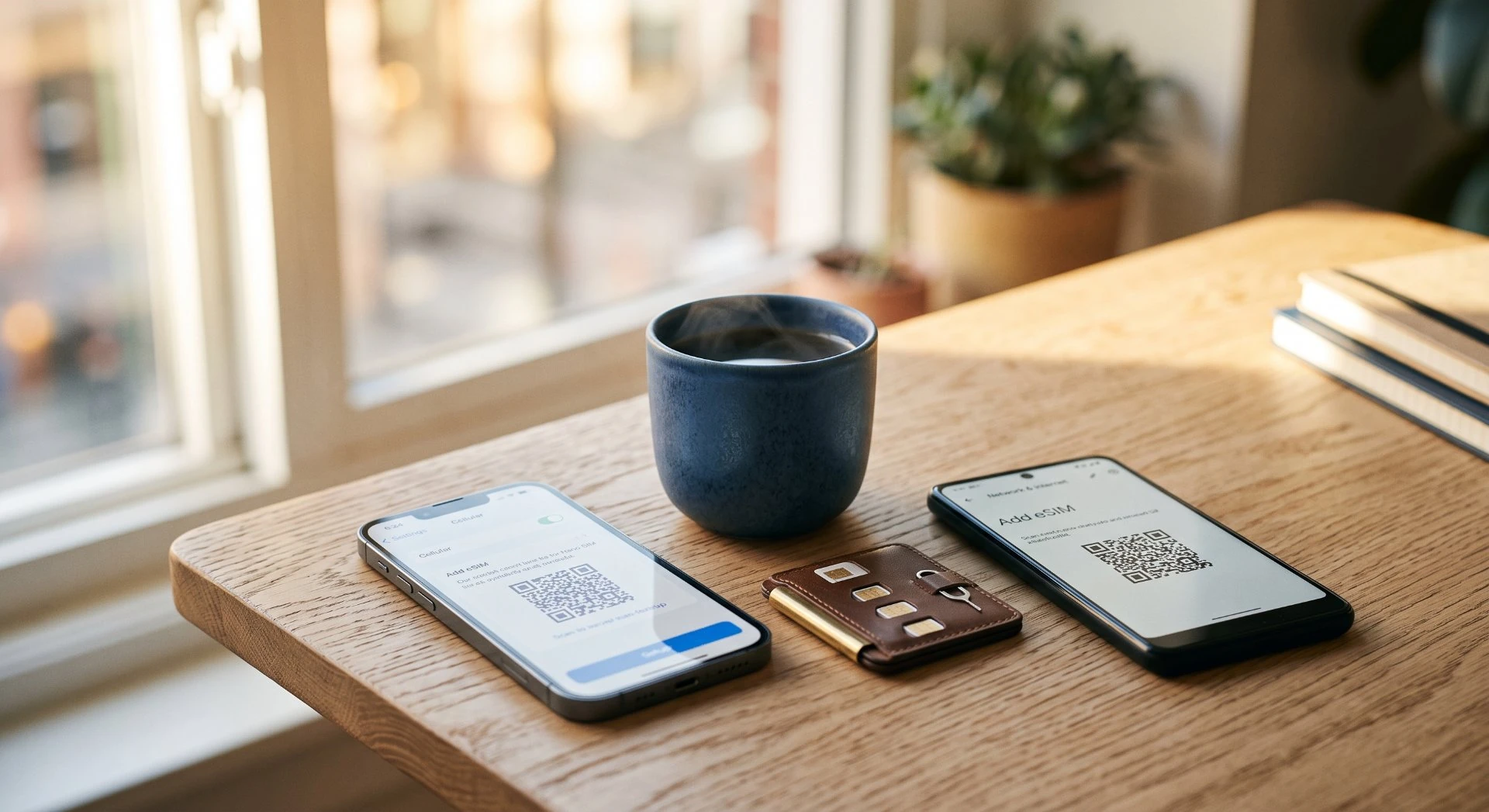

How to Install a China eSIM on iPhone & Android in 2026 (Step-by-Step)2026 年如何在 iPhone 与 Android 上安装中国 eSIM(分步指南)
5 Key Takeaways5 个关键要点
- An eSIM is a downloadable SIM profile - no plastic card. Buy it online, scan a QR or tap a link, and you get a Chinese data number in minutes.eSIM 是可下载的 SIM 配置,没有实体卡。线上购买、扫码或点链接,几分钟内即可获得中国数据号码。
- Check two things before you buy: your phone is carrier-unlocked, and it supports eSIM (most iPhone XS+ and recent Android flagships do).购买前检查两件事:手机已解锁运营商锁,且支持 eSIM(多数 iPhone XS 及以后、近期安卓旗舰均支持)。
- Install at home before you fly - eSIM provider sites are blocked inside mainland China, so you can't buy one after arrival.登机前在家安装——eSIM 服务商网站在中国大陆内被屏蔽,抵达后无法购买。
- Travel eSIMs are data-only (no phone number), so keep your home SIM on roaming to receive Alipay / WeChat / DiDi SMS verification codes.旅行 eSIM 是纯数据(无号码),因此保留本国 SIM 卡开通漫游,以接收支付宝/微信/滴滴的短信验证码。
- If the QR won't scan, use the carrier's app or the activation code (SM-DP+ address) manual entry - and screenshot the QR before you travel.若二维码扫不出,改用运营商 App 或手动输入激活码(SM-DP+ 地址)——出行前务必截图保存二维码。
Overview概览
Here's what this guide walks through: what an eSIM is, the two checks to do before buying, exact iPhone and Android install steps, how to activate and test in China, troubleshooting when it doesn't go to plan, and a FAQ.本指南逐步讲解:eSIM 是什么、购买前需做的两项检查、iPhone 与 Android 的精确安装步骤、在中国如何激活与测试、出问题时如何排查,以及常见问题。
1 What an eSIM actually is (no tech degree needed) 什么是 eSIM(无需技术学位)
Think of an eSIM as a SIM card that lives inside your phone as a tiny software profile instead of a plastic chip. Your carrier or travel provider "downloads" a plan onto it, and suddenly your phone has a second number and data plan alongside your home one. No paperclip, no tray, no little card to lose on the plane.把 eSIM 想象成一张存在于手机内部、以微小软件配置文件形式存在的 SIM 卡,而非塑料芯片。你的运营商或旅行服务商将套餐“下载”到上面,你的手机随即拥有一个与本国号码并存的第二号码和数据套餐。不需要回形针、卡槽,也没有小卡片会在飞机上弄丢。
- No card, no tray.无卡,无卡槽。 You scan a QR code or tap a link; the profile installs over Wi-Fi.你扫描二维码或点击链接;配置文件通过 Wi-Fi 安装。
- Dual setup.双卡设置。 Most phones keep your home SIM active for calls/SMS while the eSIM handles China data, handy if you want both.大多数手机保留你的本国 SIM 卡用于通话/短信,同时由 eSIM 处理中国数据,若两者都想要则非常方便。
- Pre-loadable.可预先加载。 You can install it at home and it simply won't connect to a Chinese network until you arrive (or until you activate it per the provider's steps).你可以在家安装它,在抵达之前(或按服务商步骤激活之前)它只是不会连接到中国网络。
This is the easiest connectivity path for most first-timers, but only if your phone qualifies. Check that next. Not sure which option fits your trip? Our recommender does the matching for you:对大多数初次到访者而言,这是最简单的联网途径,但前提是你的手机符合条件。下一步请确认。不确定哪个选项适合你的行程?我们的推荐器帮你自动匹配:
2 Two things to check before you buy 购买前需检查两件事
Before you spend a cent, confirm these two. Both are deal-breakers if wrong:在花一分钱之前,确认以下两点。任何一点出错都是致命问题:
1. eSIM-capable?1. 支持 eSIM 吗?
Most recent iPhones and many Android phones from the last few years support eSIM. Check your phone's specs or look in Settings, iPhone shows it under Cellular; Android under SIM cards / Mobile network. If there's no "Add eSIM / Add SIM" option, your phone likely can't.大多数近年推出的 iPhone 以及许多近几年的 Android 手机都支持 eSIM。请查看手机规格或在设置中查找:iPhone 在“蜂窝网络”下显示;Android 在“SIM 卡 / 移动网络”下。如果没有“添加 eSIM / 添加 SIM”选项,你的手机很可能不支持。
2. Carrier-unlocked?2. 运营商已解锁?
If your phone is locked to a network (common with subsidized or contract phones), it can't add a travel eSIM. Confirm unlock status with your home carrier. An unlocked, eSIM-capable phone is the green light.如果手机被锁定在某家网络(常见于补贴机或合约机),就无法添加旅行 eSIM。请向你的本国运营商确认解锁状态。一部已解锁且支持 eSIM 的手机,就是绿灯。
One more thing worth knowing before you rely on any app in China: several Western services (WhatsApp, Instagram, Facebook, Google) are blocked on mainland networks. That's a separate issue from your eSIM, our 在依赖中国的任何应用之前,还有一件值得了解的事:多项西方服务(WhatsApp、Instagram、Facebook、Google)在中国大陆网络上被屏蔽。这与你的 eSIM 是另一个问题,我们的guide to social apps in China中国社交应用指南 covers what works and the easy alternatives.介绍了哪些可用以及简单的替代方案。
3 Install on iPhone (step by step) 在 iPhone 上安装(分步)
iPhone steps are nearly identical across recent iOS versions, the button may say "Add eSIM" or "Add Cellular Plan" depending on your version, but the path is the same. Do this at home on Wi-Fi, with your provider's QR code open on another screen.iPhone 步骤在近期各 iOS 版本上几乎一致,按钮可能显示为“添加 eSIM”或“添加蜂窝套餐”(取决于版本),但路径相同。请在家连接 Wi-Fi 操作,并在另一块屏幕上打开服务商给你的二维码。
iPhoneiPhone Install steps安装步骤
- Open 打开Settings → Cellular设置 → 蜂窝网络 (or (或Mobile Service蜂窝数据).
- Tap 点击Add eSIM添加 eSIM (on some versions: (某些版本为:Add Cellular Plan添加蜂窝套餐).
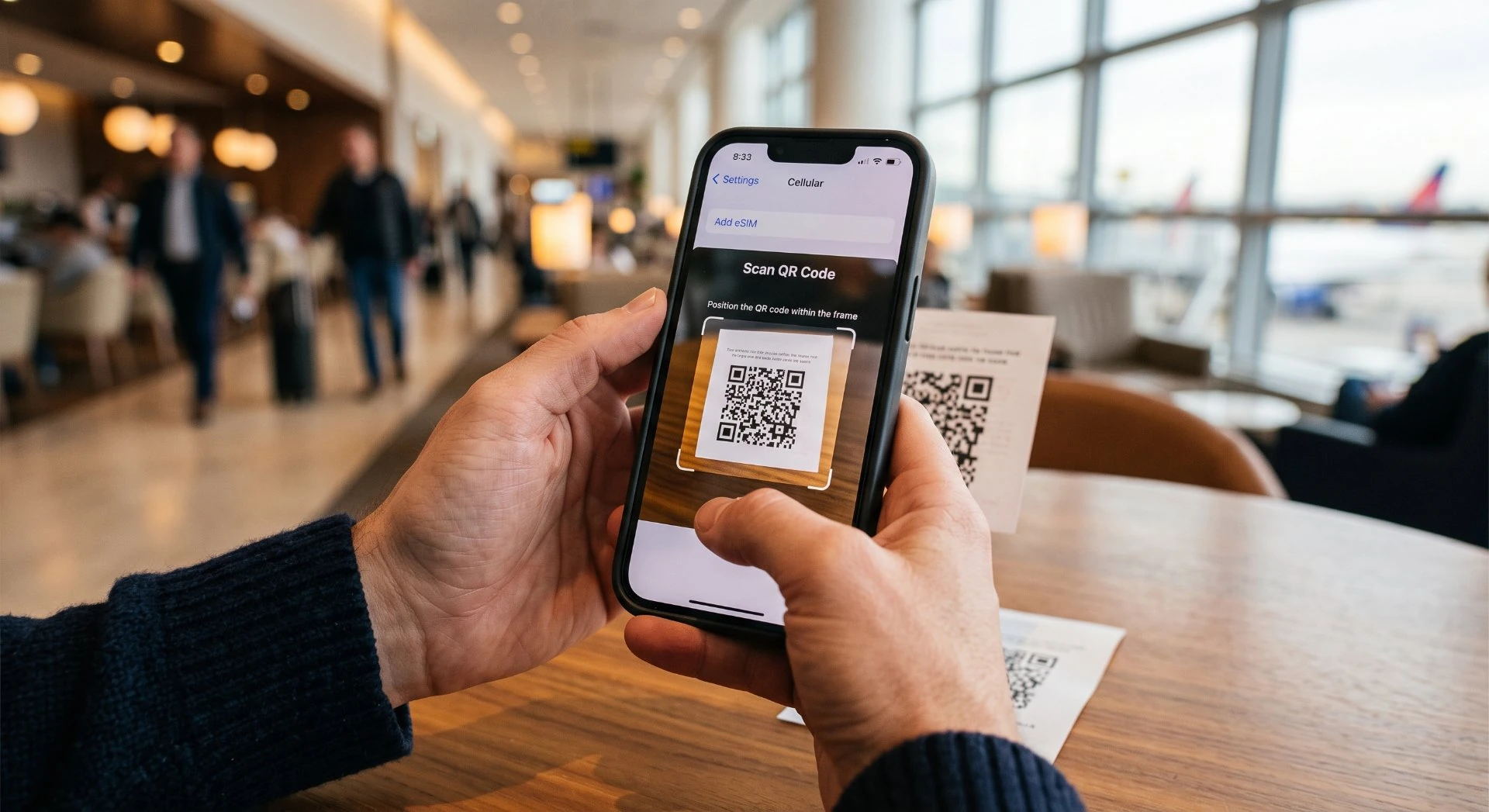
- Choose 选择Use QR Code使用二维码 and scan the code your provider emailed you. If scanning fails, pick 并扫描服务商邮件发给你的二维码。若扫描失败,选择Enter Details Manually手动输入详细信息 and type the code.并输入代码。
- Label the line something clear like "China Trip" so you can tell it from your home plan.将线路标注为清晰名称,例如“China Trip”,以便与你的本国套餐区分。
- Set it as your 将其设为你的data line数据线路 for China; keep your home line on for calls/SMS if you want both.用于中国;若想要两者兼顾,保留你的本国线路用于通话/短信。
- If your provider uses an app, you can also just install their app and tap to download the profile, same result, sometimes simpler.如果你的服务商使用 app,你也可以直接安装他们的 app 并点击下载配置文件,结果相同,有时更简单。
- Don't delete the profile安装后不要删除配置文件 after installing; just leave it until you land. It won't connect until then.,先留着直到你抵达。在抵达之前它不会连接网络。
That's it. The profile now sits on your phone, dormant, waiting for a Chinese signal.就这么简单。配置文件现在静静躺在你的手机里,休眠中,等待中国信号。
4 Install on Android (step by step) 在 Android 上安装(分步)
Android menus vary a little by brand (Samsung, Google Pixel, Xiaomi, etc.), but the path is the same idea. Do this at home on Wi-Fi.Android 菜单因品牌(三星、Google Pixel、小米等)略有不同,但思路相同。请在家连接 Wi-Fi 操作。
AndroidAndroid Install steps安装步骤
- Open 打开Settings → Network & internet → SIMs设置 → 网络与互联网 → SIM 卡 (some brands: (部分品牌为:Connections → SIM card manager连接 → SIM 卡管理器).
- Tap 点击Add eSIM添加 eSIM or 或Download SIM / Add mobile plan下载 SIM / 添加移动套餐.
- Scan the provider's QR code with the on-screen scanner. If it won't scan, choose 用屏幕上的扫描器扫描服务商的二维码。若无法扫描,选择Enter code manually手动输入代码.
- Name the profile (e.g. "China eSIM") so it's easy to find later.将配置文件命名(例如“China eSIM”),便于日后查找。
- Choose it as your 选择它作为你的data plan数据套餐 for the trip; keep your physical SIM on if you want home calls/SMS alongside.用于本次行程;若想同时保留本国通话/短信,请保持实体 SIM 卡开启。
- If your provider has an app, installing through it is often the smoothest route, follow the in-app prompt to download the profile.如果你的服务商有 app,通过其安装通常是最顺畅的途径,按 app 内提示下载配置文件即可。
- Leave the profile installed; it stays inactive until you reach China (or until you activate per the provider's instructions).保持配置文件已安装;在你抵达中国之前(或按服务商说明激活之前)它保持未激活状态。
Android brands file this slightly differently, so if the exact menu name differs, just search your phone's Settings for "eSIM" or "Add SIM", it'll be there. Either way, you're scanning the same provider QR code.Android 各品牌在此处的归类略有差异,因此若具体菜单名称不同,只需在手机“设置”中搜索“eSIM”或“添加 SIM”,它就在那里。无论哪种方式,你扫描的都是同一个服务商二维码。
5 Activate and test it in China 在中国激活并测试
You've landed. Now wake the eSIM up:你已落地。现在唤醒 eSIM:
1. Turn the line on1. 开启该线路 in Settings (Cellular / SIMs) and make it your active data line.在设置(蜂窝网络 / SIM 卡)中,并将其设为你的活跃数据线路。
2. Enable data roaming2. 启用数据漫游 for that line if your provider requires it (many travel eSIMs need this on to work, it won't trigger home roaming charges on a China plan).如果该线路需要(许多旅行 eSIM 需要开启才能使用,它不会在中国套餐上触发本国漫游费用)。
3. Connect to Wi-Fi first3. 先连接 Wi-Fi if you'd rather do a quick settings check before relying on it, then open a map or webpage over mobile data.如果你更想在依赖它之前快速检查设置,然后再用移动数据打开地图或网页。
4. Test early4. 尽早测试, at the airport, before you need it. If data flows, you're set for the whole trip. Book a private airport transfer on Trip.com before you fly so arrival day runs smoothly.,在机场、在你真正需要它之前。如果数据流畅,整个行程就稳了。 出发前在 Trip.com 上预订私人机场接送,让抵达当天更顺畅。
If your provider gave you APN settings, double-check they're entered exactly, a wrong APN is the single most common "installed but no data" cause. Keep those details saved offline so you're not hunting through emails on a flaky airport connection. If you haven't booked your stay yet, compare China hotels so you land at a place with reliable wifi.如果你的服务商提供了 APN 设置,请仔细核对是否完全输入正确,错误的 APN 是导致“已安装却无数据”最常见的原因。将这些信息离线保存,以免在信号不稳的机场连接中翻找邮件。 如果你还没订好住处,不妨对比中国各地的酒店,落地就能住进 WiFi 稳定的地方。
6 When it doesn't go to plan 当事情不按计划进行
eSIM installs are reliable, but here's the short fix list if something's off:eSIM 安装通常很可靠,但若出现问题,以下是简短的修复清单:
QR won't scan:二维码无法扫描: use the manual code entry, or install via the provider's app. Both are standard fallbacks.使用手动代码输入,或通过服务商的 app 安装。两者都是标准后备方案。
Installed but no data:已安装但无数据: toggle airplane mode on/off, restart the phone, re-check data roaming and APN, and confirm the line is set as your active data plan.切换飞行模式开/关,重启手机,重新检查数据漫游和 APN,并确认该线路已设为你的活跃数据套餐。
Phone says "no eSIM support":手机提示“不支持 eSIM”: your device may be locked or too old, fall back to a physical SIM or roaming (airport kiosks sell local SIMs).你的设备可能已锁定或过于老旧,退回使用实体 SIM 卡或漫游(机场柜台出售本地 SIM 卡)。
Need a human:需要人工帮助: contact your provider's support with your order reference; most travel eSIM support is chat-based and quick.凭你的订单编号联系服务商支持;大多数旅行 eSIM 支持都是基于聊天且响应迅速。
Connectivity in China is rarely a dead end, eSIM, physical SIM and roaming all coexist, so a hiccup with one just means pivoting to another. The bigger planning point is which apps will actually connect once you're online; our 中国的网络连接很少是死胡同,eSIM、实体 SIM 卡和漫游三者并存,因此其中之一出状况只意味着转向另一个。更大的规划点在于:一旦联网,哪些应用才能真正连接;我们的social-apps guide社交应用指南 covers that.介绍了这一点。
Frequently asked questions常见问题
An eSIM is a SIM profile built into your phone, no plastic card to insert. You download it (usually by scanning a QR code or tapping a link from your provider) and your phone gets a data plan. For China, an eSIM is the easiest way to arrive with working data: no airport kiosk, no swapping cards. You don't strictly need one, a physical SIM or roaming also work, but it's the lowest-friction option for most visitors.eSIM 是内置于手机的 SIM 配置文件,无需插入塑料卡。你下载它(通常通过扫描服务商提供的二维码或点击链接),手机就获得一个数据套餐。对于中国,eSIM 是抵达即拥有可用数据的最简单方式:无需机场柜台,无需换卡。你并非严格需要它,实体 SIM 卡或漫游也能用,但对大多数访客而言它是摩擦最小的选项。
Two things must be true: your phone must be eSIM-capable (most recent iPhones and many mid-range-and-up Android phones are) and it must be carrier-unlocked (not tied to one network's SIM lock). You can check eSIM support in your phone's settings or the manufacturer's spec page, and confirm unlock status with your home carrier. Locked phones can't add a travel eSIM.两点必须同时成立:你的手机必须支持 eSIM(大多数近期 iPhone 和许多中高端 Android 手机均可),且必须已运营商解锁(未绑定某家网络的 SIM 锁)。你可以在手机设置或厂商规格页查看 eSIM 支持,并向你的本国运营商确认解锁状态。被锁定的手机无法添加旅行 eSIM。
Yes, and it's smart to. You can download the eSIM profile at home over Wi-Fi, it just won't connect to a Chinese network until you arrive (or until you activate it per your provider's instructions). Installing early means you're not fumbling with QR codes in a noisy airport. Keep the QR / activation details somewhere you can find them offline, in case you need to reinstall.可以,而且这样做很明智。你可以在家通过 Wi-Fi 下载 eSIM 配置文件,它只是不会连接到中国网络,直到你抵达(或按服务商说明激活)。提前安装意味着你不必在嘈杂的机场手忙脚乱地扫二维码。将二维码 / 激活信息保存在离线可找到的地方,以防需要重新安装。
Most tourist travel eSIMs are data-only, they give you internet, not a local calling number. That's fine for staying in touch, because in China you'll use WeChat (messaging, calls and video) over data anyway. If you want a real Chinese number for calls and SMS, that usually means a physical SIM from a local carrier, which is a different setup. Check what your chosen plan includes before you buy.大多数旅游 eSIM 是纯数据,它们给你网络,而非本地呼叫号码。这对保持联系没问题,因为在中国你会通过数据使用 WeChat(消息、通话和视频)。如果你想要用于通话和短信的真正中国号码,通常意味着需要从本地运营商办理实体 SIM 卡,那是另一种设置。购买前请确认你所选套餐包含什么。
First, make sure you're on a stable Wi-Fi connection and that your phone is unlocked and eSIM-capable. If the QR won't scan, most providers also offer a manual entry option (you type a code) or an app that installs the profile with one tap. If it still fails, contact the provider's support, and keep a backup plan: airport SIM kiosks and your home roaming both still work as fallbacks. Don't panic; connectivity is rarely a dead end in China.首先,确保你处于稳定的 Wi-Fi 连接,且手机已解锁并支持 eSIM。如果二维码无法扫描,大多数服务商也提供手动输入选项(你输入一段代码)或一键安装配置文件的 app。如果仍然失败,请联系服务商支持,并保留后备方案:机场 SIM 柜台和你的本国漫游都仍可作为后备。别慌;在中国的网络连接很少是死胡同。
Pick an eSIM if your phone supports it and you want zero airport hassle, install at home, land with data. Pick a physical SIM if your phone has no eSIM, or if you specifically want a local number for calls/SMS. Roaming is the third option if you'd rather not change anything, though it's often pricier. The right call depends on your phone and trip length, our eSIM-vs-SIM guide compares them side by side.如果你的手机支持,且你想要零机场麻烦,选 eSIM:在家安装,落地即有数据。如果你的手机没有 eSIM,或你特别想要用于通话/短信的本地号码,选实体 SIM 卡。如果你宁愿不做任何改动,漫游是第三种选择,尽管通常更贵。正确的选择取决于你的手机和行程时长,我们的 eSIM 对比 SIM 卡指南并排比较了二者。
After you land, turn on the eSIM line in your settings, make sure data roaming is enabled for that line (if your provider requires it), and open a webpage or load a map. If data flows, you're set. If not, toggle airplane mode on and off, restart the phone, and re-check the APN settings your provider gave you. A quick test at the airport over Wi-Fi before you rely on it saves guesswork later.落地后,在设置中开启 eSIM 线路,确保该线路已启用数据漫游(若你的服务商要求),然后打开网页或加载地图。如果数据流畅,你就就绪了。如果不行,切换飞行模式开/关,重启手机,并重新检查服务商给你的 APN 设置。在依赖它之前,于机场通过 Wi-Fi 进行快速测试,能省去日后的猜测。
Yes. An eSIM and your physical SIM can stay active together on most phones, so your home number still receives calls and texts while the eSIM handles China data. Set the eSIM as the data line and keep the physical SIM for calls.可以。在大多数手机上,eSIM 和你的实体 SIM 卡可以同时保持活跃,因此你的本国号码在 eSIM 处理中国数据的同时仍能接听电话和短信。将 eSIM 设为数据线路,保留实体 SIM 卡用于通话。
Carrier-locked phones may block an eSIM from another provider, though many lock policies still allow travel eSIMs. If it will not activate, use a local physical SIM or a portable Wi-Fi device instead.被运营商锁定的手机可能会阻止来自其他服务商的 eSIM,尽管许多锁定策略仍允许旅行 eSIM。如果无法激活,请改用本地实体 SIM 卡或便携 Wi-Fi 设备。
Light users get by on 3 to 5 GB, while map apps, translation and video calls push that to 10 GB or more. A 10 to 20 GB plan covers most two-week trips with margin to spare.轻度用户 3 至 5 GB 够用,而地图应用、翻译和视频通话会把它推高到 10 GB 或更多。10 至 20 GB 的套餐能覆盖大多数两周行程,并留有富余。

Want the offline-first-trip kit?想要离线版首次出行工具包?
The 这份China Travel Essentials 2026China Travel Essentials 2026 kit bundles visa, payments, connectivity, transport, and this guide into one printable checklist you can carry offline, no signal required.工具包把签证、支付、联网、交通和本指南打包成一份可打印清单,可离线携带,无需信号。
Get the guide →获取指南 →Sources & notes来源与说明
This guide links to official and authoritative sources. Rules and prices change, so confirm the current version with the official source before you book.本指南链接官方与权威来源。规定和价格会变,订票前请向官方来源确认现行版本。
- Apple - Use eSIM on iPhoneApple — 在 iPhone 上使用 eSIMAuthoritative source.权威来源。
- Ministry of Culture and Tourism of China中华人民共和国文化和旅游部Authoritative source.权威来源。